Profile editor for Trinity
Build your own complexes, change programs and frequencies, add programs from the Biomedis bases and write the profile to the device — straight from the browser, with nothing to install.
Opening, browsing and checking are free. Saving and writing to the device need a licence.
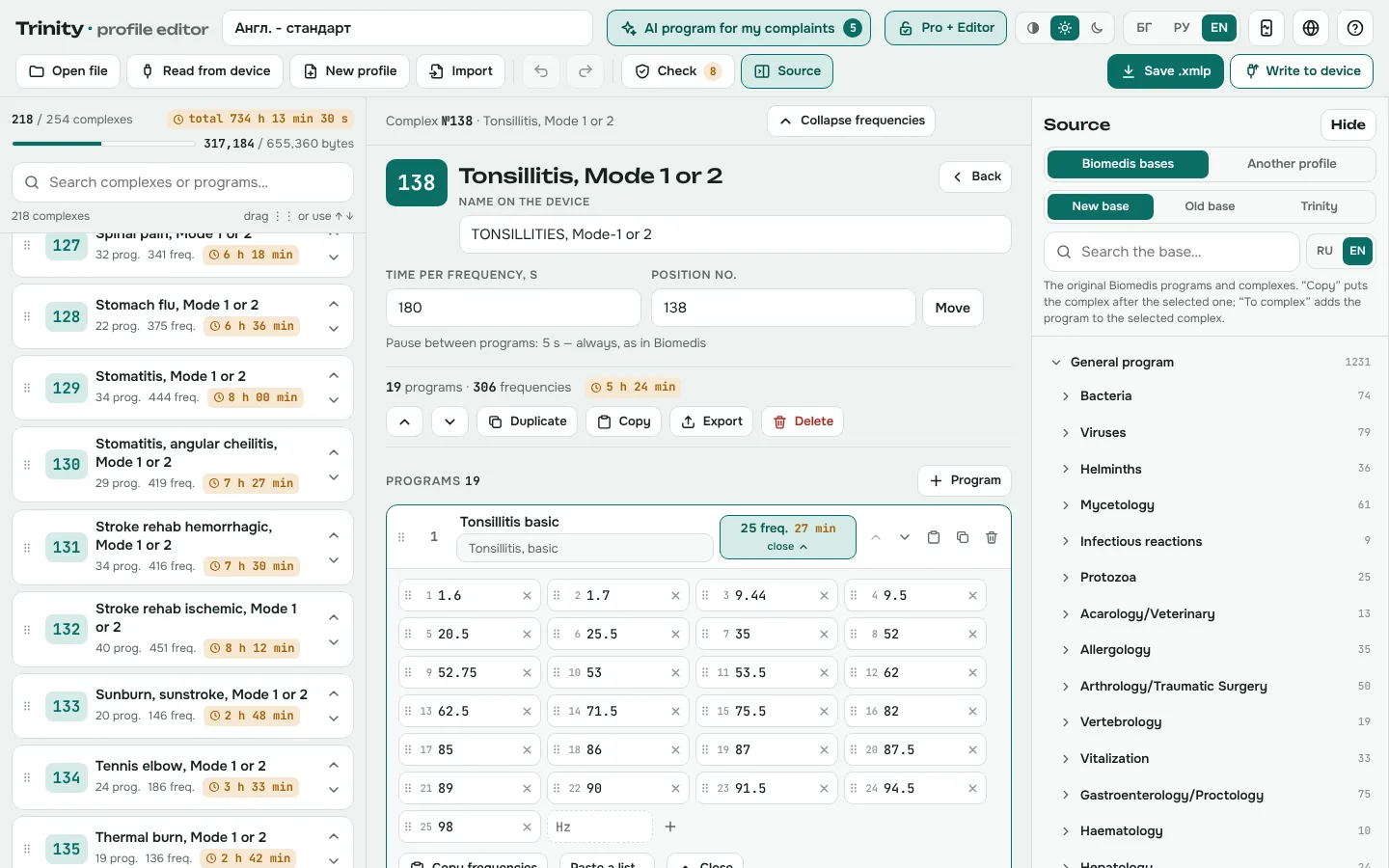
What you can do
Complexes and programs
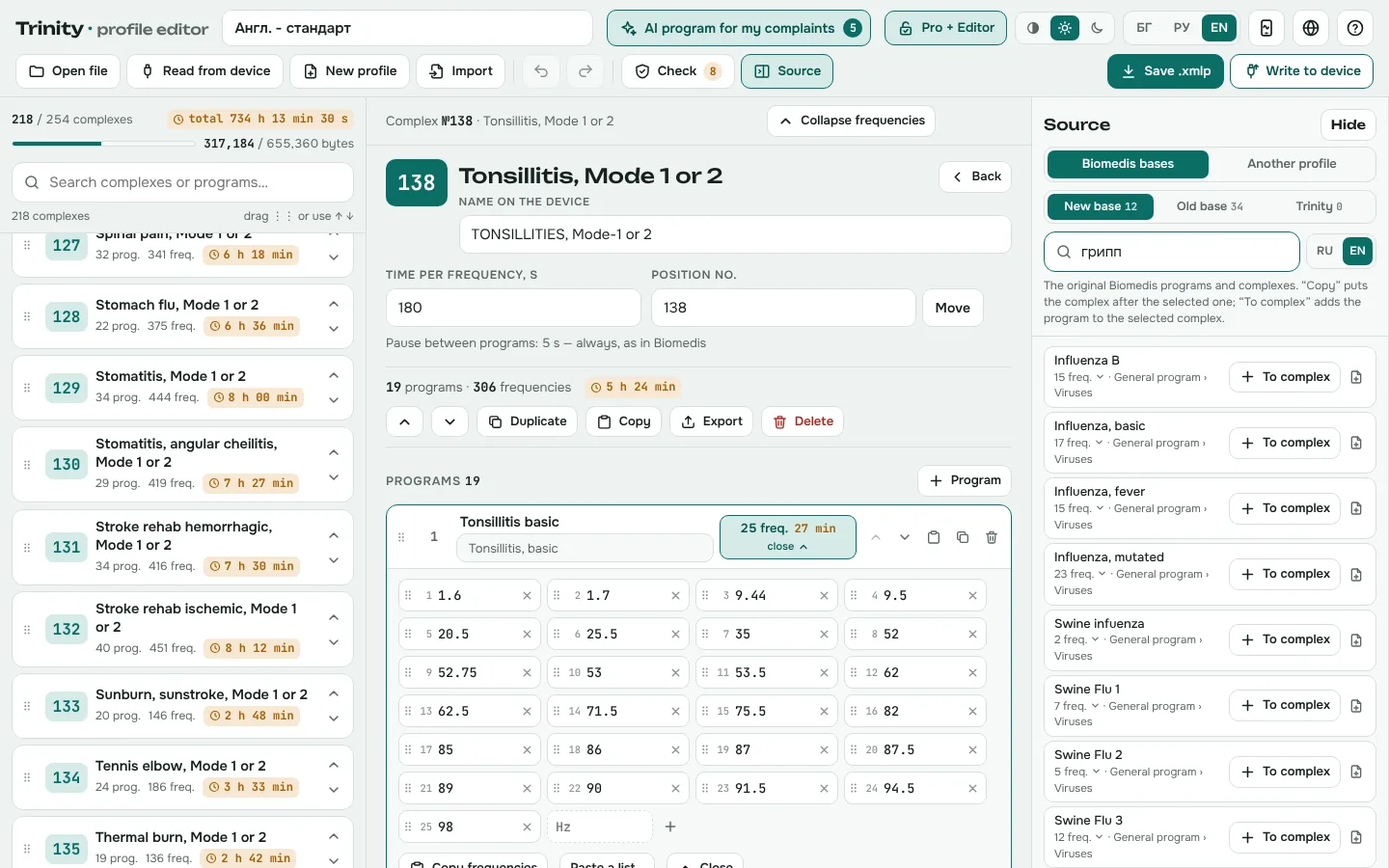
Create new complexes, duplicate and rename them, change the time per frequency and reorder by dragging or by number.
Frequencies
Fix frequencies in place, add new ones, paste a whole list at once and copy the frequencies from one program to another.
The Biomedis bases
New base, Old base and Trinity, searchable in Russian or English. Copy a whole complex or add a single program to your own.
Check before writing
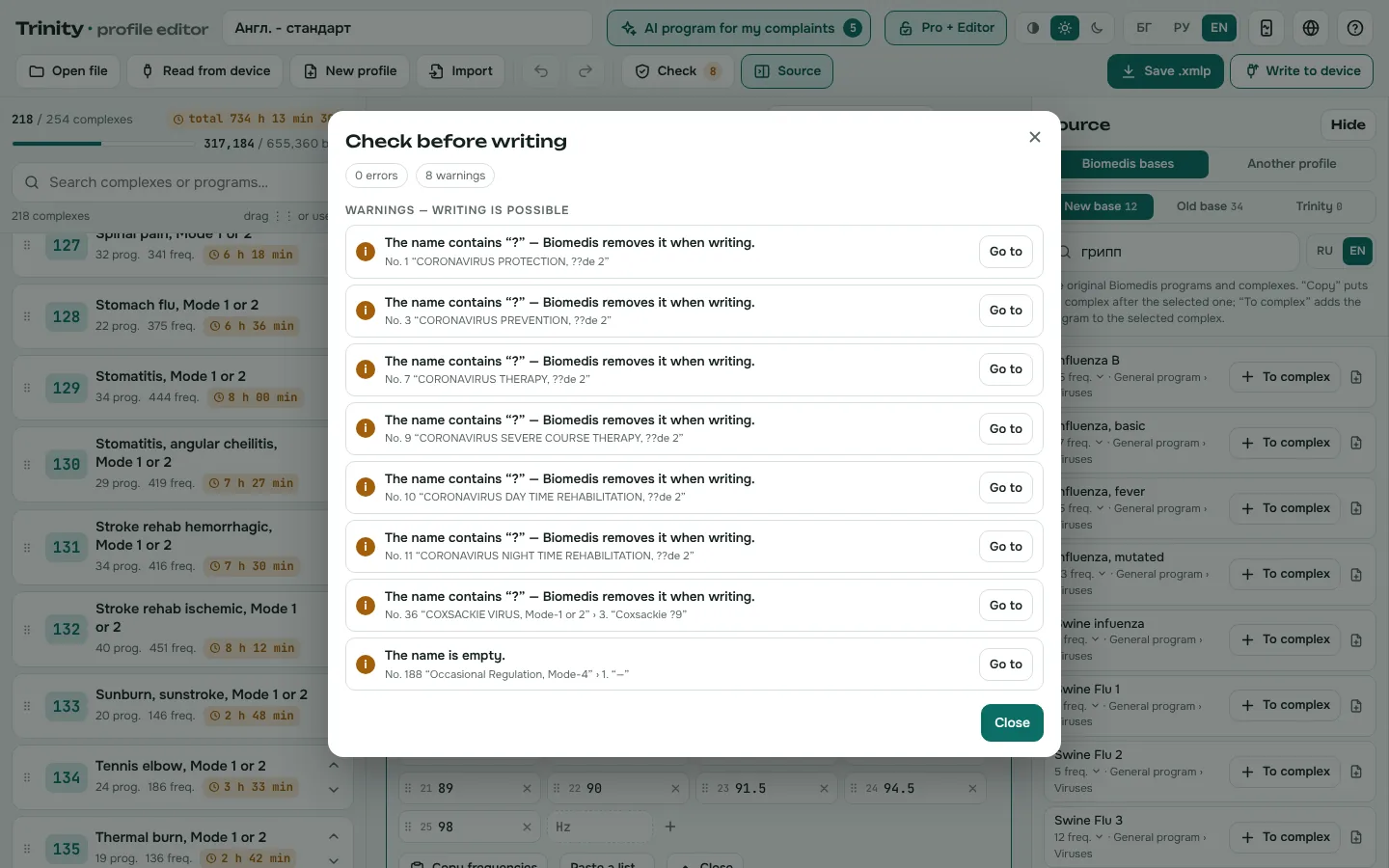
The editor checks the profile against the device rules — empty complexes, programs without frequencies, invalid values, names the device would store incorrectly — and shows exactly where the problem is.
Safe writing
Before writing, the device is read and a backup is downloaded. After writing, the profile is read back and compared byte by byte; if anything differs, one click restores the backup.
Files and languages
Opens and saves .xmlp and .xmlc files from Biomedis and from the app. The interface is in Bulgarian, Russian and English, with translated names of complexes and programs.
How it works
Open a profile
From a file (.xmlp or .xmlc) or straight from the device, over a USB cable.
Edit
Change complexes, programs and frequencies, or add programs from the Biomedis bases.
Check
The Check button lists errors and warnings. While there are errors, writing will not start.
Write
To the device — with a backup before and a verification after — or as an .xmlp file for the app and for Biomedis.
What it looks like
AI program for my complaints
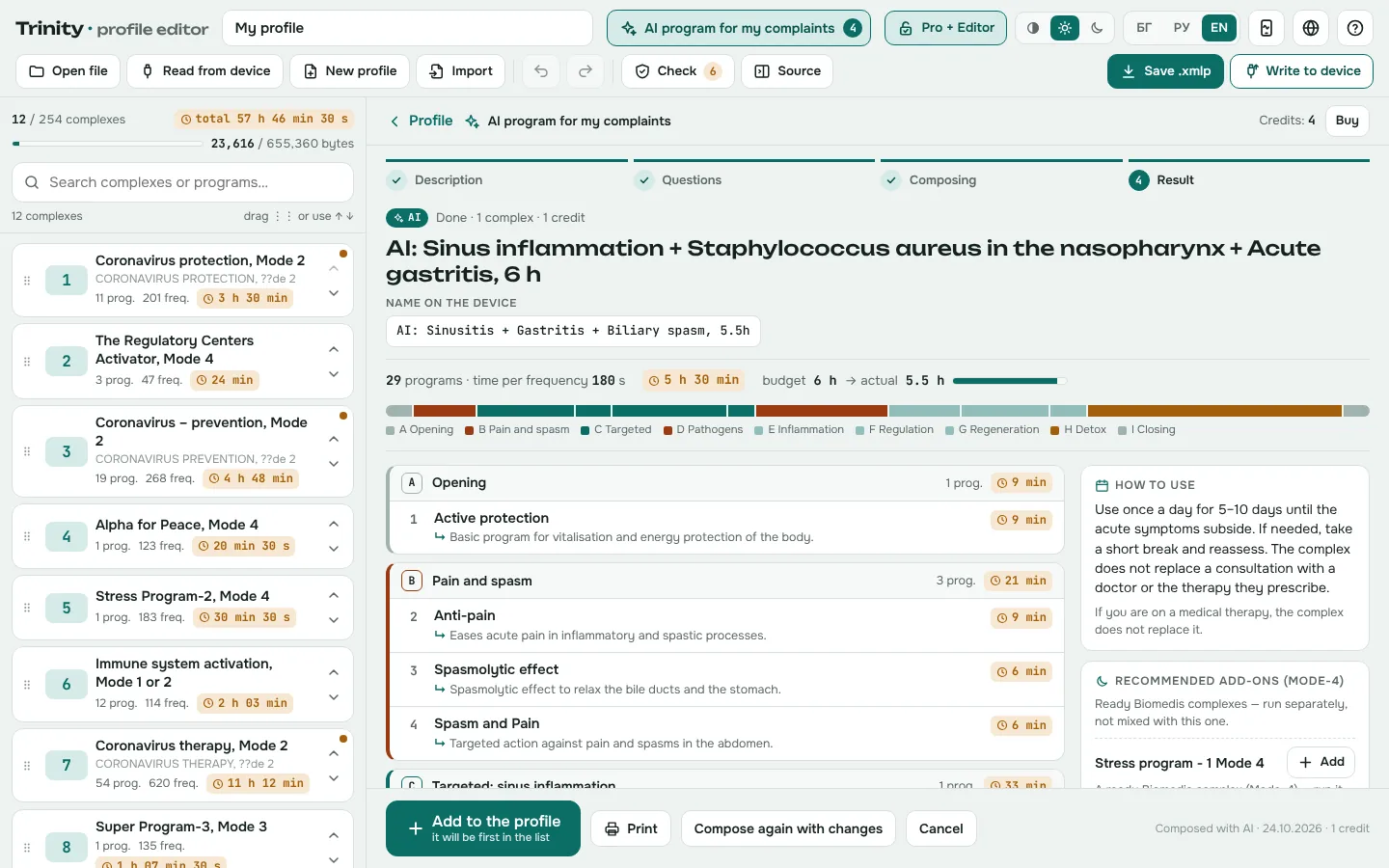
Describe in your own words what bothers you and what the bioresonance diagnostics showed, choose how much time you have — and the editor composes a new complex for Trinity the way Biomedis builds its own: opening, target programs, pathogens, inflammation, regulation, detox. No frequencies are invented: the AI only picks ready programs from the Biomedis base, and the server checks the time, the order and the device rules.
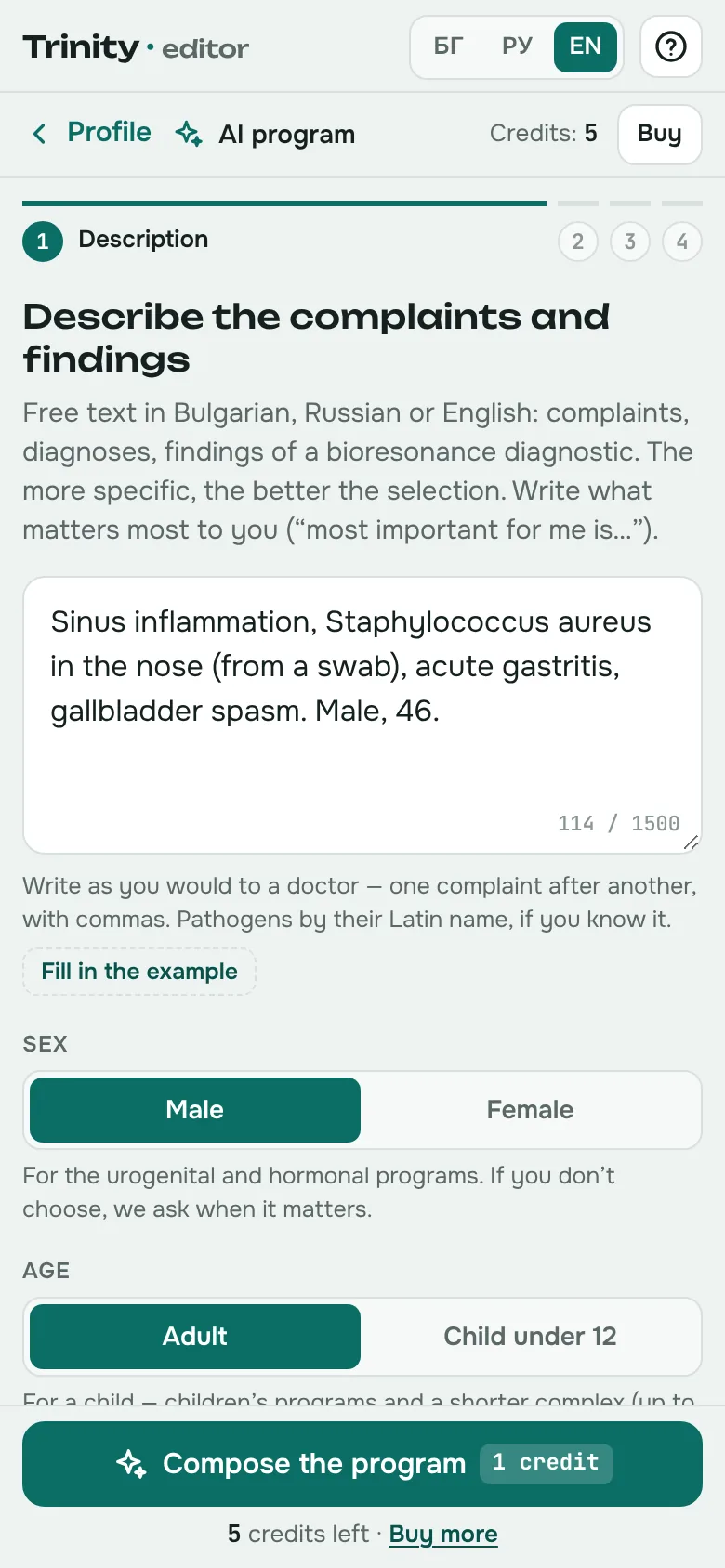
Your own words
Complaints, diagnoses and findings of bioresonance diagnostics — in English, Bulgarian or Russian. Sex, age, acute or chronic, and the time: from 30 min to 10 h.
Clarifying questions
If needed, up to 4 short questions, each with “I don't know”. You see how your description was understood before a credit is used.
Result by blocks
Opening, pain, target programs, pathogens, inflammation, regulation, regeneration, detox and closing — in the Biomedis order, with the minutes of every block.
Detox: Auto · Short · Off
“Auto” follows the Biomedis rule: full detox for infection and inflammation, short for functional conditions. You can shorten it or switch it off.
A/B or Day/Night
When time is short or there are night programs — recovery, nerves, anti-stress — you get two complexes: “A” and “B” or “Day” and “Night”.
A “why” for every program
A short reason next to every program, a usage scheme and what was left out for time. They are kept in the profile and can be seen later.
“+ Add” for what was left out
A program left out for time comes back with one click — in its place in the block, with the new total time.
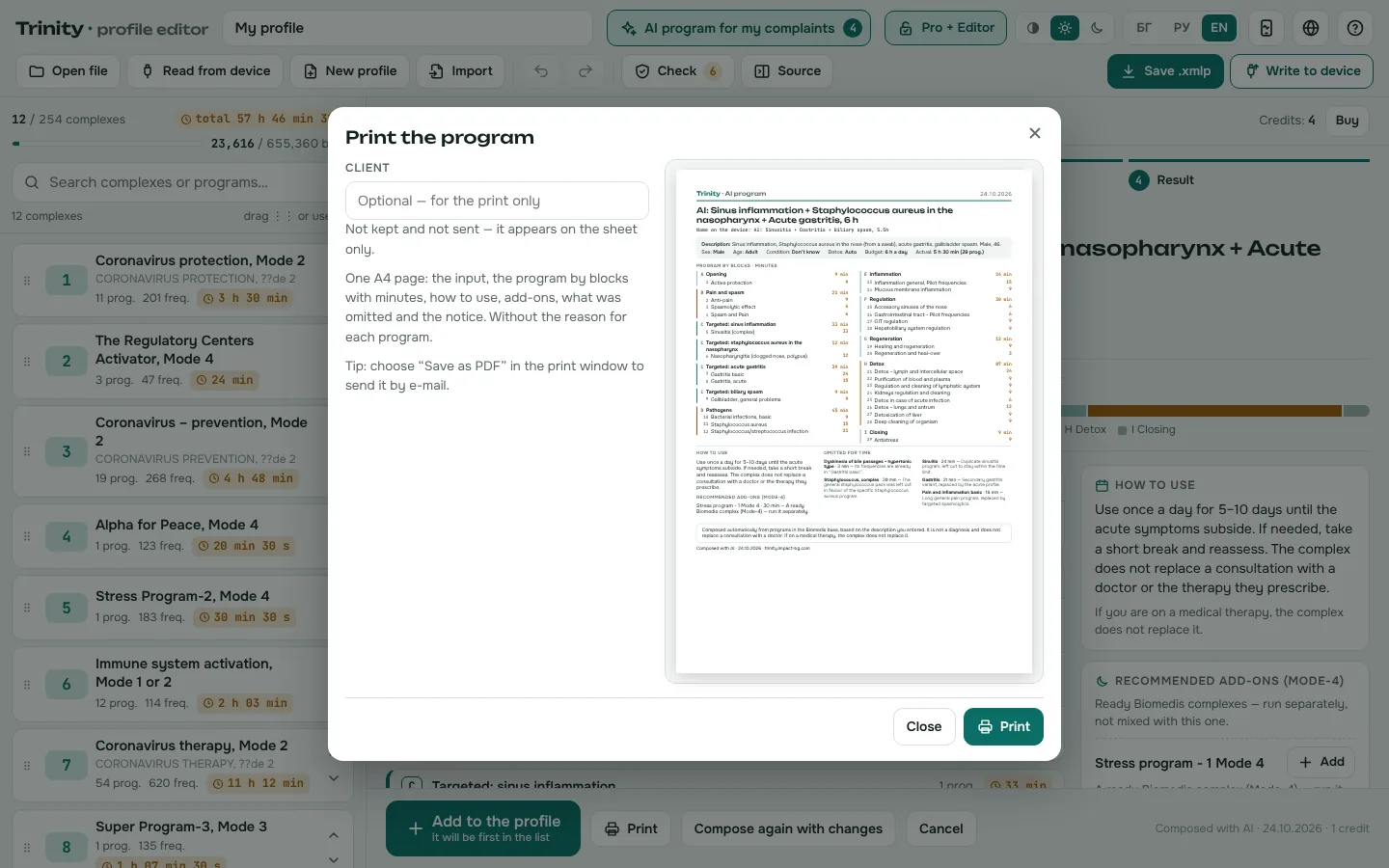
One-page print-out
The program by blocks with minutes, the scheme, the add-ons and the notice — on one A4 page, optionally with the client's name.
Check and write
The complex goes first in the profile, passes “Check” and is written to the device like any other. Ctrl+Z removes it in one step.
Describe
Your complaints and findings in your own words — in English, Bulgarian or Russian. Sex, age, acute or chronic, detox and the time (30 min to 10 h).
Clarify
If needed, up to 4 short questions — each with “I don't know”. You see how your description was understood before a credit is used.
Check and add
The finished complex with a “why” for every program, a usage scheme and what was left out for time. You add it at the top of the profile, print it on one page and write it to the device.
What it does not do
- It does not diagnose and gives no medical advice
- It invents no frequencies — it only arranges programs from the Biomedis base
- It writes nothing to the device without you — everything goes through “Check”
- It does not keep your description
Composed automatically from programs in the Biomedis base, from the description you entered. It is not a diagnosis and does not replace a consultation with a doctor.
From 4.99 € per composition, with credits on the Pro + Editor licence. A credit is used only when a complex is composed successfully. Credits are bought in the editor itself, after you enter your Pro + Editor code, and are recorded against the licence.
Free and with a licence
- Open files and read from the device
- Browse complexes, programs and frequencies
- Search the Biomedis bases
- Check the profile
- Save the profile as .xmlp
- Write to the device over USB
- Copy complexes and programs from the bases
- “AI program for my complaints” — 1 composition included, more credits sold separately
- Everything in Trinity Pro in the app
- One phone (or tablet) and one computer
Tick the box to agree before continuing to payment.
Buy Pro + Editor — 49 €credits on your Pro + Editor licence, no expiry
- The Pro + Editor licence includes 1 credit — your first composition is free
- 1 credit = 1 composition: one complex or two (A/B, Day/Night)
- Clarifying questions and “Compose again” within 10 min — no extra credit
- One A4 page print-out and a “why” for every program in the profile
- A credit is used only for a successful composition
- 1 credit4.99 €
- 3 credits13.99 €−7 %
- 5 credits22.49 €−10 %
- 10 credits43.99 €−12 %
Credits are bought in the editor itself, after you enter your Pro + Editor code, and are recorded against the licence.
Pay 19 € for Pro or 49 € for Pro + Editor via Paysera. As soon as the payment is confirmed (usually within minutes) you receive an unlock code by email. Enter it once — in the app or in the editor. Prices are final; the seller is not registered for VAT.
What you need
- A computer with Chrome or Edge — to read and write the device over USB.
- The device's USB cable. Biomedis M Air must be closed while the editor is talking to the device.
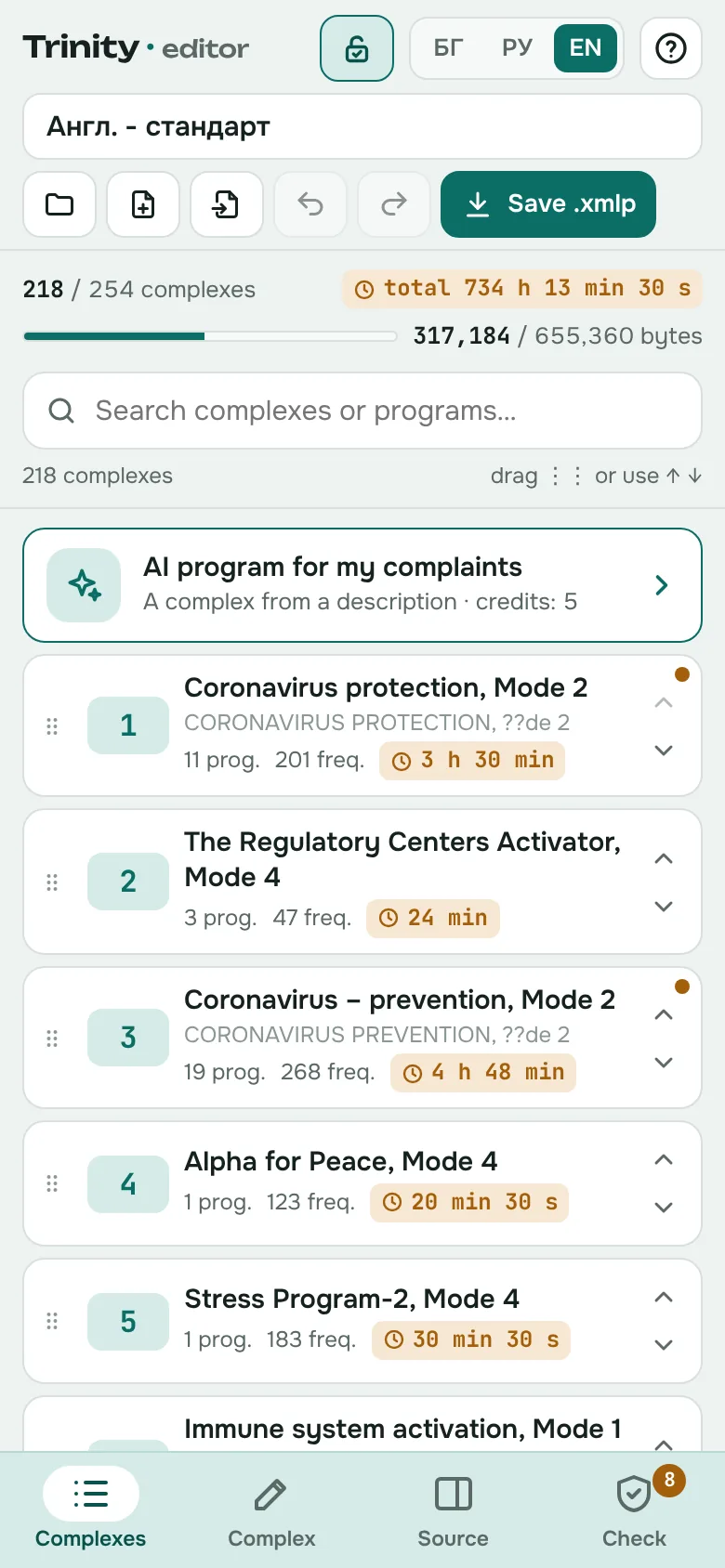
- On a phone and in other browsers the editor works with files, without connecting to the device.
About the frequencies
The frequencies and their names in the editor come from the Biomedis M Air base, which Biomedis provides free of charge with its own software. They are not sold — you pay only for the software. The editor is unofficial and not affiliated with Biomedis.
Questions about the editor
Do I need Biomedis M Air?
No. The editor reads and writes the device on its own, and the frequency bases are built in. If you also use Biomedis M Air, both work with the same files (.xmlp and .xmlc).
What happens to the list that is on the device now?
Writing replaces the whole profile on the device. That is why, before every write, the editor reads the device and downloads a backup file. If the check after writing finds a difference or the connection drops, one click restores the backup.
Can I try it before buying?
Yes. Without a licence you can open files and the profile on the device, browse, search the bases and run the check. The licence unlocks saving, writing to the device and copying from the bases.
Does it work on a phone?
Yes, with files: open, edit and save .xmlp. Writing to the device works only on a computer with Chrome or Edge — only there can the browser connect to the device over USB.
How do I see my complexes in the app?
Save the profile as .xmlp and upload it in the app under Device → Upload a profile. If it is already on the device, the app can also read it from there, on a computer.
Are the frequencies for sale?
No. The frequencies and their names in the editor come from the Biomedis M Air base, which Biomedis provides free of charge with its own software. They are not sold — you pay only for the software: the app and the editor.
How does the AI program work?
Your description goes to a language model (Google Gemini), which turns it into a list of findings and, if needed, asks up to 4 questions. Based on the findings, the server then picks matching programs from the Biomedis base and examples from its ready complexes, and the model selects and orders the programs in the blocks Biomedis uses. Finally, the code checks the time with the device formula, the order, the detox and the name — and shows you the result to review before you add it.
Where do the AI program's frequencies come from?
From the Biomedis M Air base, which Biomedis provides free of charge with its own software — the same base that is built into the editor. The AI program creates no new frequencies and changes none: it only selects ready programs from that base. You pay for the composing service, not for the frequencies.
What happens to my description?
It is sent to Google Cloud Vertex AI in the European Union only to compose the complex, and it is not stored on our server. For up to 2 hours we keep only the structured findings (without the text) so you can answer the questions and compose again. The server log holds only the date, the licence number, the token count and the result — no text.
Open the editor and look through your profile — for free.
Saving and writing to the device are unlocked with Pro + Editor for 49 €.